This is the year of Linux. A ton of people are rushing to shift from Windows to Linux. Why? Because Windows 10 support ended on 14th of October, 2025. If people want to stay secure with the latest updates, they need to shift to Windows 11 and unfortunately their old hardware is not eligible in most cases. So, this caused many Windows users to ditch Windows and switch to Linux. People just don’t want to dump their old useful hardware and it doesn’t make any sense to throw away your old laptops and PCs just to update your OS. That’s where Linux comes in.
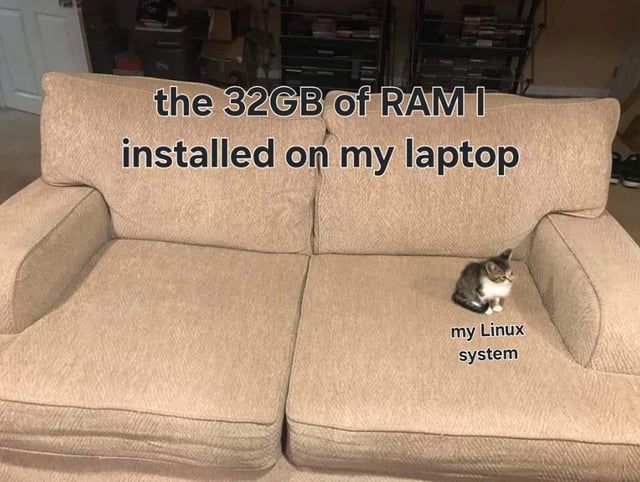
This reminds me of a meme that perfectly explains how much space a Linux OS needs on your PC:
We always wanted Linux to be victorious but this is a victory that probably we didn’t want because a lot of Windows users switching are not familiar with Linux. So to make this victory worthwhile, this is our job to make sure that we enhance our knowledge base and make it easy for new members to learn and use Linux effortlessly. That’s where LinuxHint comes in, our entire platform is dedicated to help you become better at Linux. We even have a private community access where you can learn by asking questions inside the community of experts or even directly learn 1-on-1 with an instructor.
When you are switching from Windows 10 to Linux, make sure you first dual boot Linux distro with Windows and get comfortable with Linux and once you think this Linux distro is good for you only then you make the permanent switch i.e. deleting Windows forever and joining Linux familia permanently.
Here are 9 Linux Distros which are best for you as an ex Windows user.
1- Linuxmint
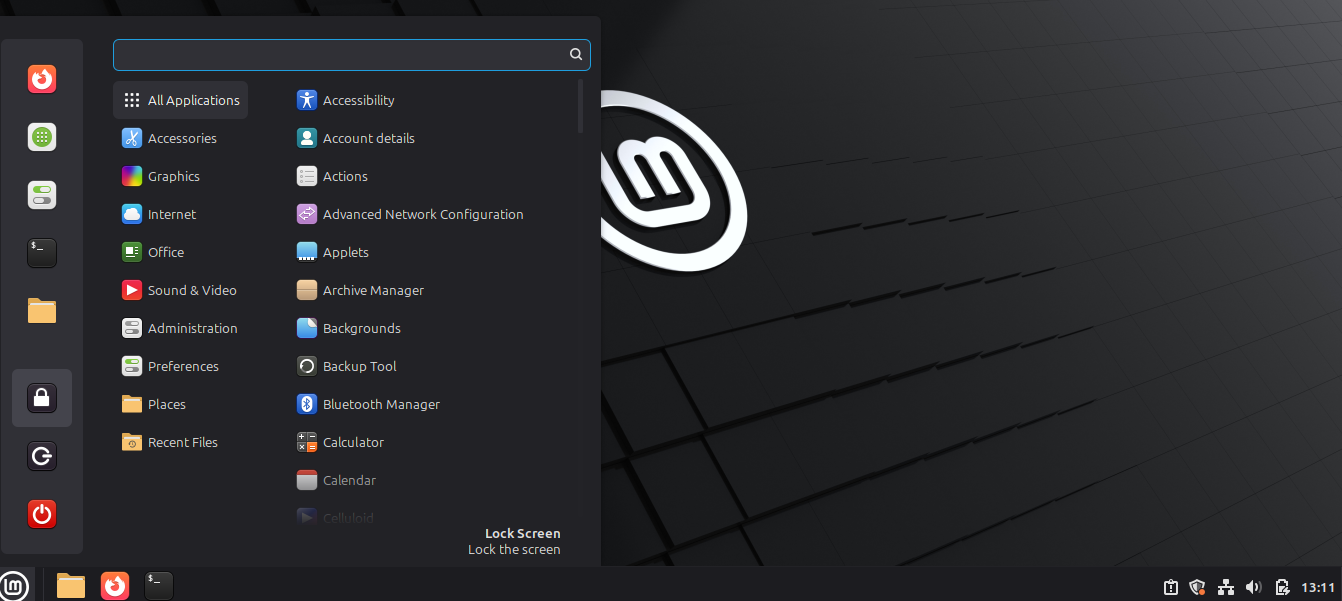
Linuxmint is by far the best choice for Windows users making the switch because its interface is similar to Windows, it has got a similar task bar, start menu and a similar shutdown button and menu items.
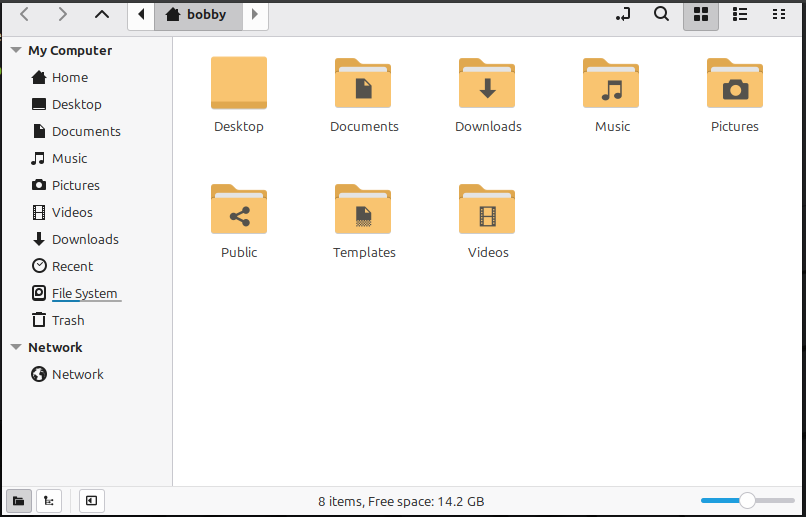
The folder icon is almost the same and navigating through Linuxmint feels kind of familiar to Windows users.
Almost any package or software you can think of in Windows, its alternative is available such as instead of Microsoft Office, Libre Office is available for your word, pptx, csv and excel files. Media codecs, drivers and productivity tools are readily available after the installation. While installing just check this option:
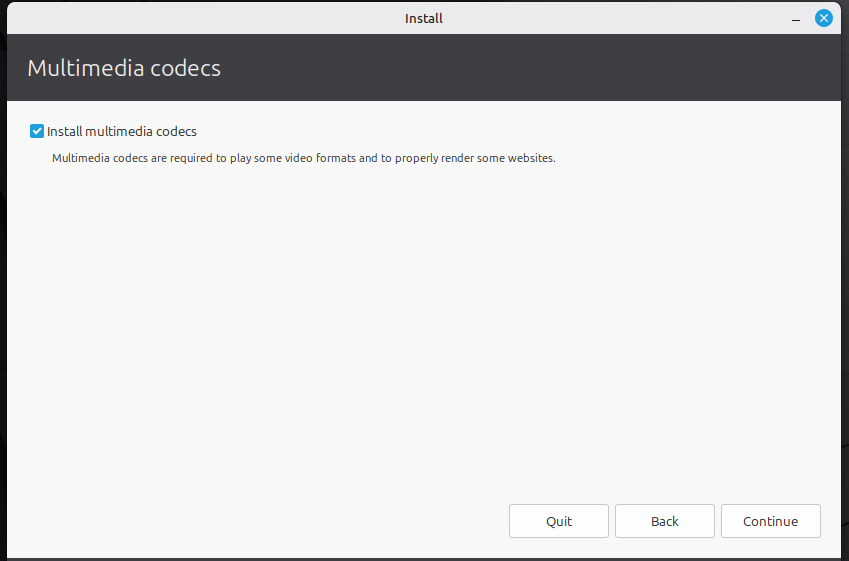
Linuxmint is based on Ubuntu and along with its own package manager it benefits from Ubuntu’s vast repository which means that almost any software or package that you can think of for Windows would very likely be available on linuxmint. Linuxmint never does major UI upgrades and stays consistent which means more Windows users can join in coming years and it offers stable release with 5 years of security updates which is also a good thing. On top of that, it’s free. You can download Linuxmint “Cinnamon” Desktop from here.
2- Zorin OS
Zorin OS is a fantastic Ubuntu based Linux operating system that satisfies your urge to use Mac OS & Windows simultaneously. It’s beautiful interface gives you a premium feel and if you are someone switching from Windows and even Mac OS, you are going to love this. This should be your first choice when switching from Windows as it will make the transition really smooth. “Zorin Appearance” is a built-in app which you can use to further enhance your experience by selecting the layout and making it more Windows like. How cool is that?
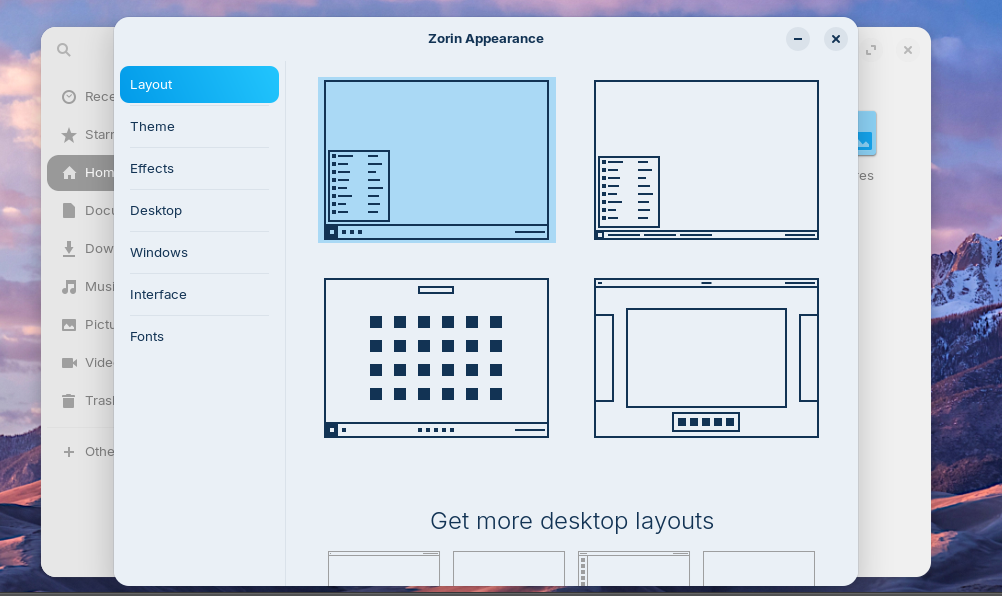
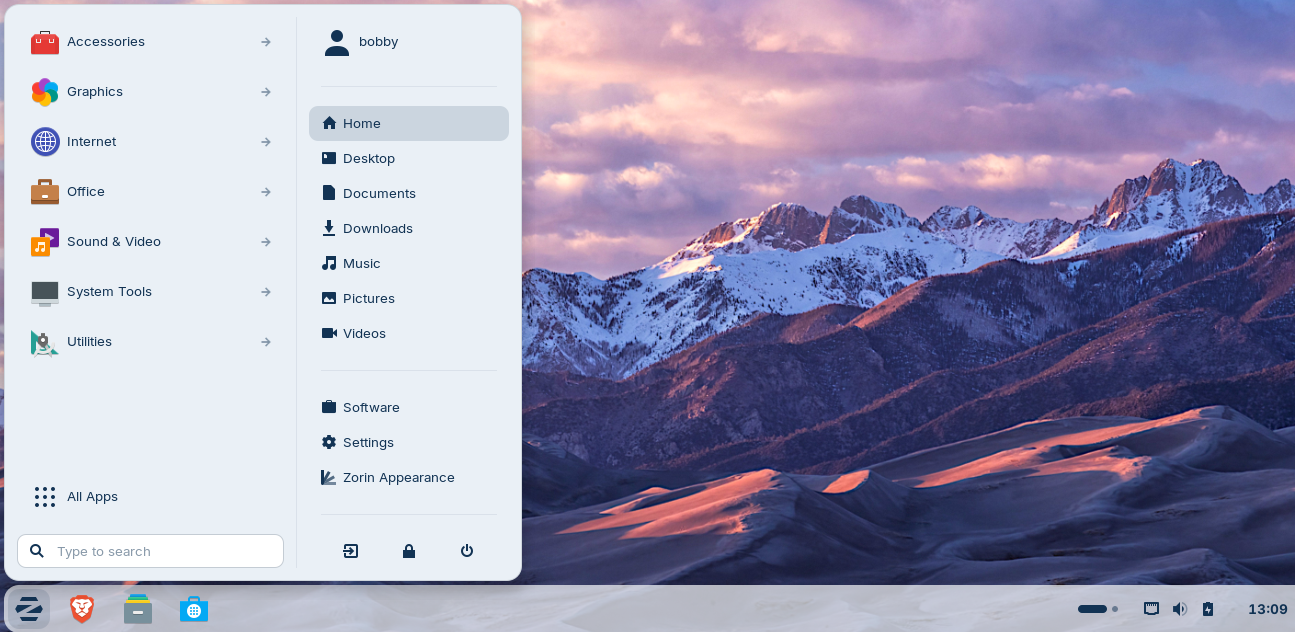
After installation, you will see a Windows like start menu but it is very neat and sleek, I find it very elegant.
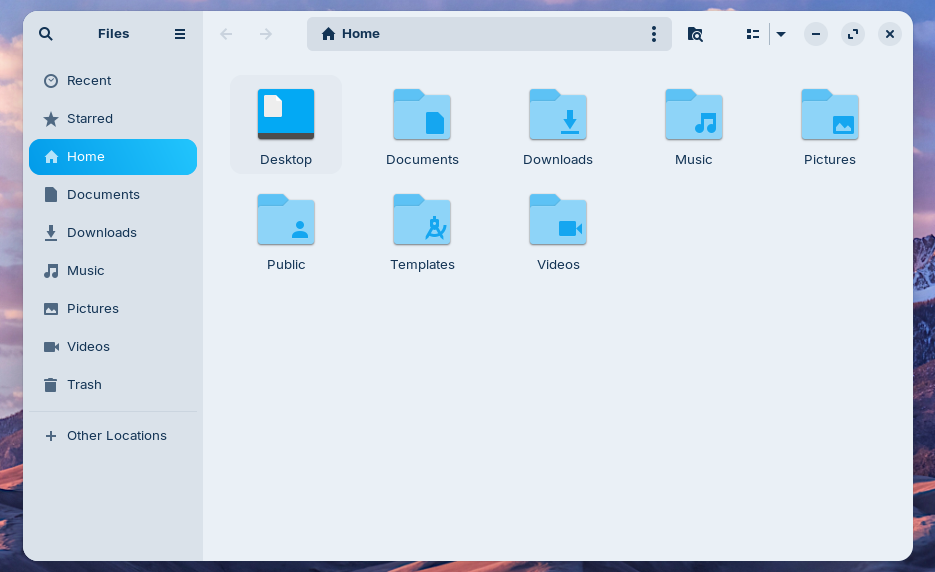
The folder icons are more like Mac OS but they also give you a very fab look.
It also comes with the Brave browser pre-installed. Zorin OS also has a paid version but i don’t think you need to install it. If you’d like to further customize your OS layout and utilize some additional productivity apps then go for a paid version. I installed Zorin OS Core and it works just fine and is more than enough. Zorin OS has wine and PlayonLinux that ensures you are able to run a majority of your Windows programs on Linux. Zorin OS, they have done an incredible effort to make the experience as close to Windows & Mac OS as possible and that’s what makes Zorin OS the best choice for everyone switching from Windows 10 to Linux. You can download Zorin OS from here.
3- Linux Lite
Linux lite is an extremely resource efficient distro and it can even run on your 10-15 years old hardware. It requires only 1 Ghz of processing power and only 1 GB of RAM. On top of that, its appearance doesn’t feel unknown, especially its start menu, file explorer, My Computer(This PC in Windows, thought it was My Computer in older Windows versions) and control panel are in familiar positions where a Windows user won’t feel lost.
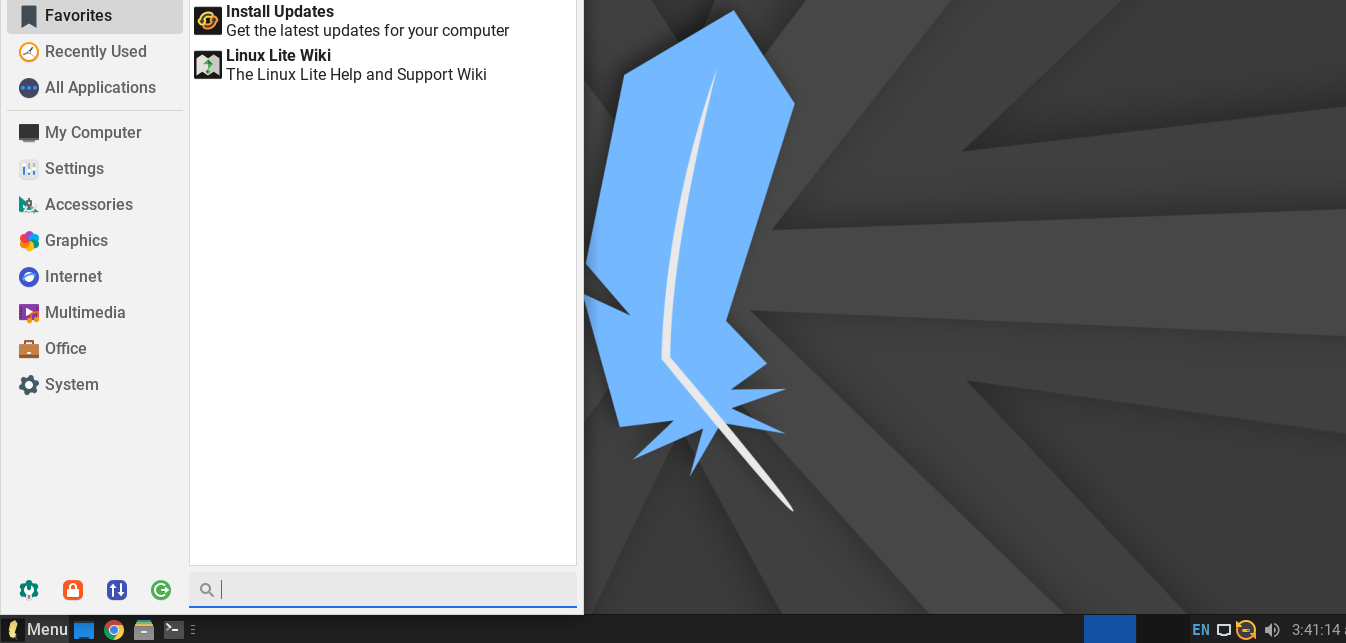
Folder Icons don’t exactly mimic Windows but they feel familiar.
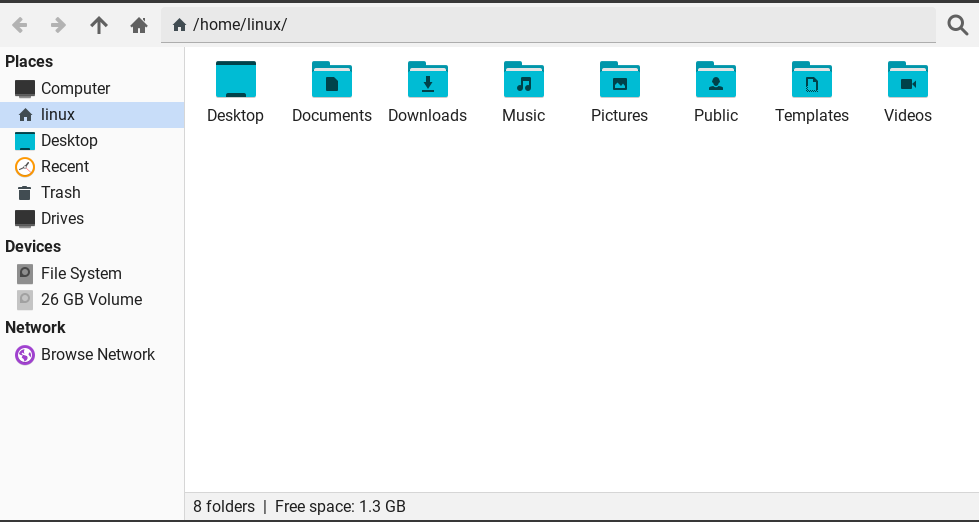
This OS was the first one that ever thought of Windows users who switch to Linux. It was built to keep the user experience of Windows users and it mimics the experience. If you are coming from Windows 10 and want an easy to use and lightweight distro then Linux Lite is your best choice. You can download Linux Lite from here.
4- Elementary OS
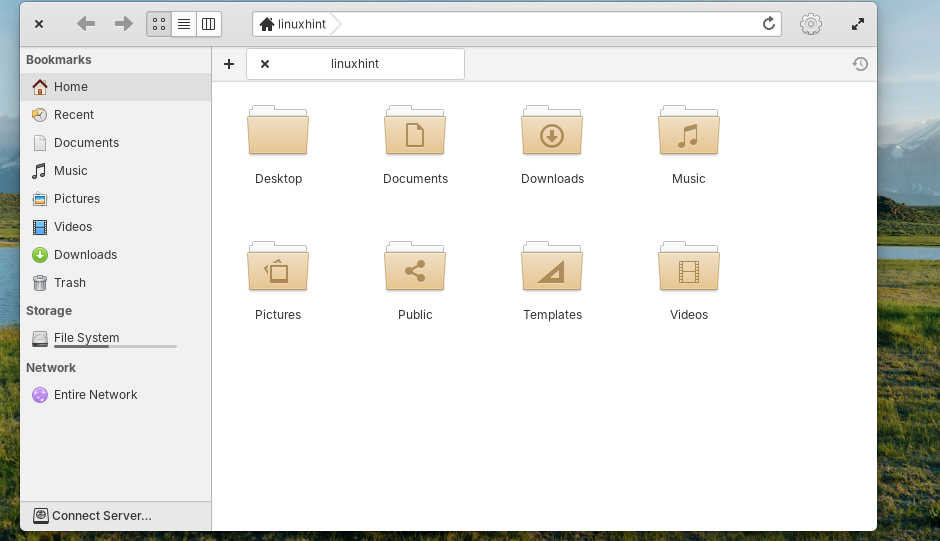
Elementary OS has a very clean interface. Although it does mimic Mac OS a lot more than Windows, it can still be a great way to start your Linux journey as an ex Windows user. Instead of switching to a core Linux distro such as Arch Linux, you go easy on yourself and install an OS like Elementary OS that gives you an elegant feel when you are using it and it will be convenient for you to use it. It does not have a start menu like Windows, it has a dock like Mac OS in the bottom.
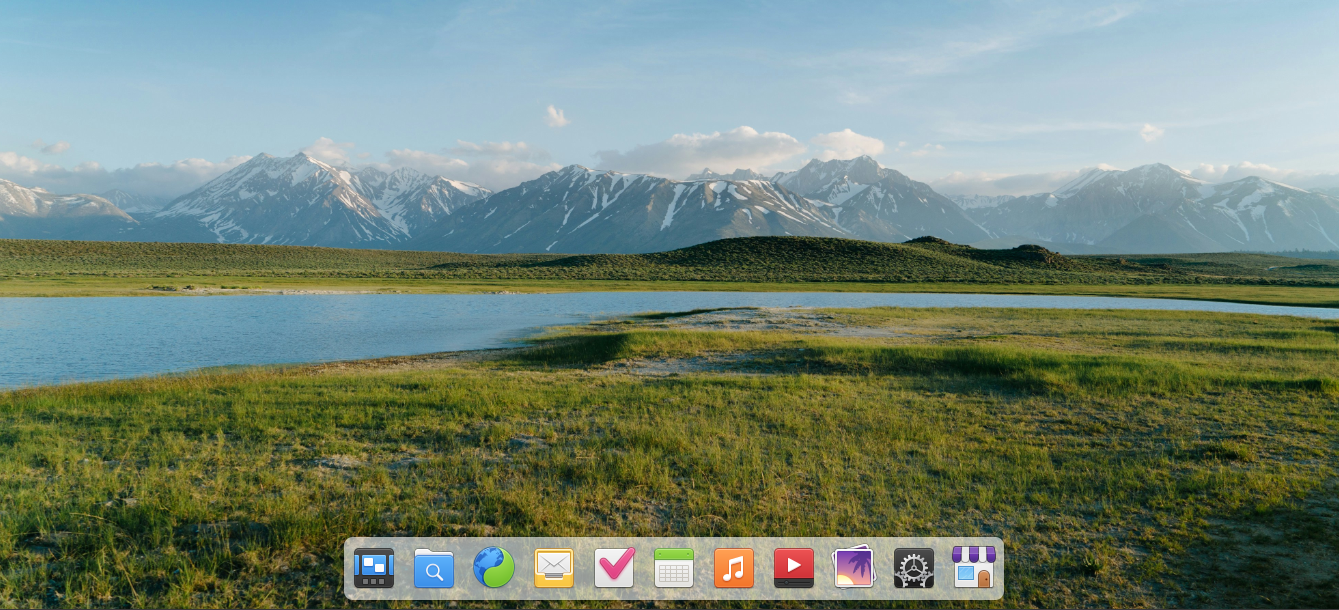
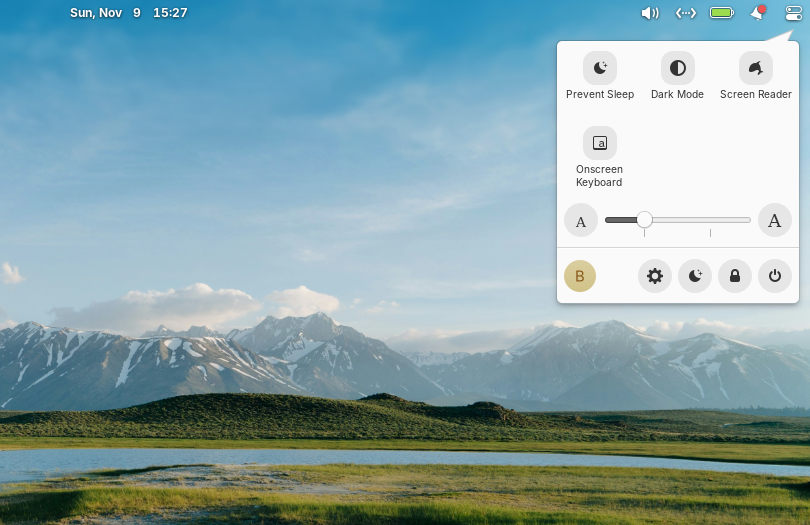
It does have a clean app menu from where you can pick up an app that you want to use.
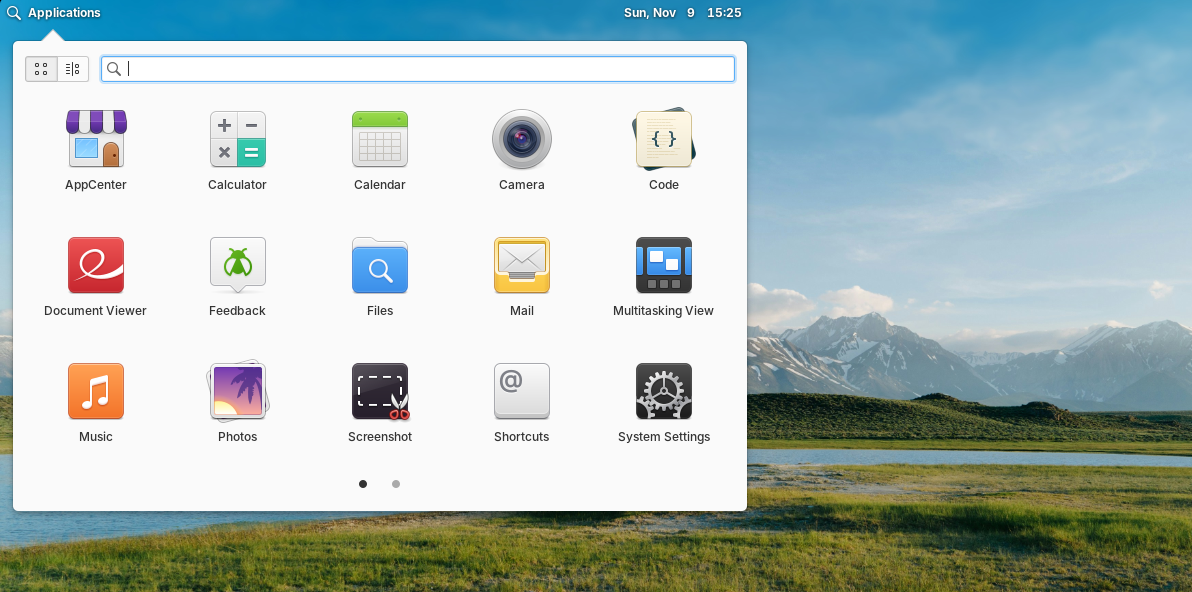
The folder icons in Elementary OS resemble Mac OS icons but as a Windows user even you won’t have difficulty in identifying everything and you’d be able to accomplish your task, whatever it is that you wanna do, effortlessly.
In short, you’ll be able to navigate through this OS without much difficulty as it’s UI is pretty straightforward and easy to understand. The Shutting down option is on the top right corner.
You can download Elementory OS from here. On this page, you will see the purchase button of the Elementor OS, just enter $0 in the custom amount field and you’ll be able to download it for free. Donation is optional!
5- Deepin
If you want your Linux experience to be exactly like Windows 11 then go for this distro. Its design, especially the center panel and bar, is incredibly similar to Windows 11. At first look, you might even mistake it for Windows 11.
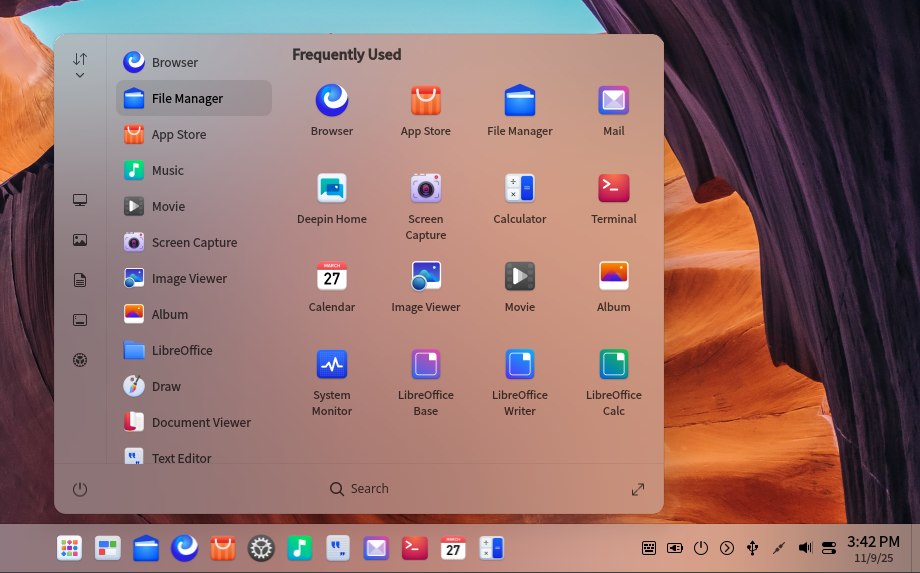
Deepin design is sleek and modern and it’s just not that, it also provides all sorts of built in applications. Deepin app store categorizes all apps and offers a beautiful interface from where you can download apps of your choice. Deeping offers the “Computer” option as well which is “This PC” in Windows latest versions and it was “My Computer” in older Windows versions.

The folder icons and the folder window are closely related to Windows.
Deepin single handedly proves that you can have a secure open source OS that can be made to look like the commercial operating systems in the market. That’s the beauty of Linux. You can download Deepin here. Go for the Google Drive option, it’s much faster to download but if you can download and seed it for the community that’d be a plus.
6- Ubuntu
Ubuntu is one of the most popular and most installed Linux distro world wide. It has a clean interface with a taskbar on the left side of the screen. Although the position of this can be changed, it comes with this default position.
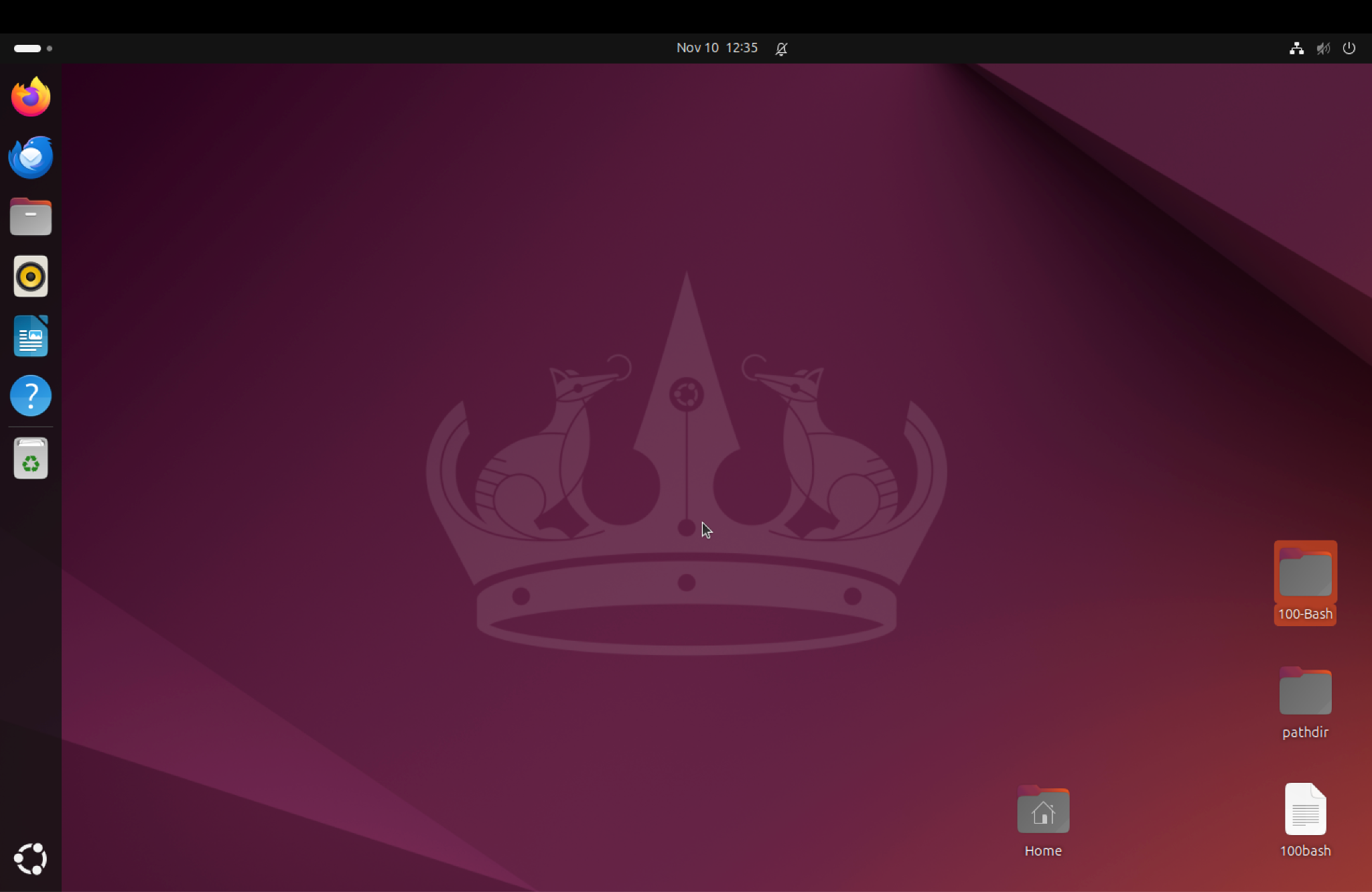
The directory or folder window looks easy to navigate.
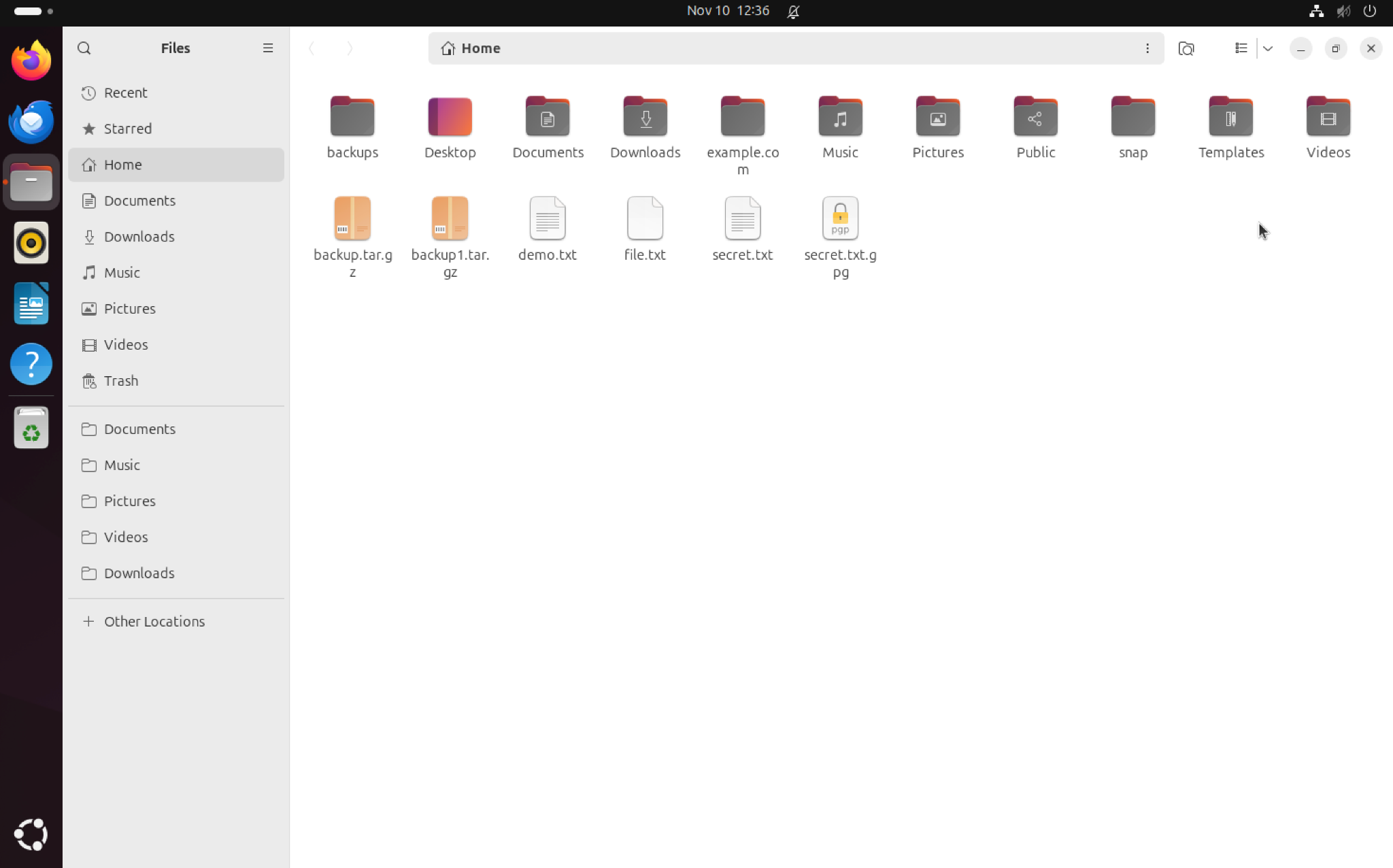
The Apps menu is cool and Ubuntu software center and its vast repository can be used to download and run almost all sorts of packages or softwares that you need.
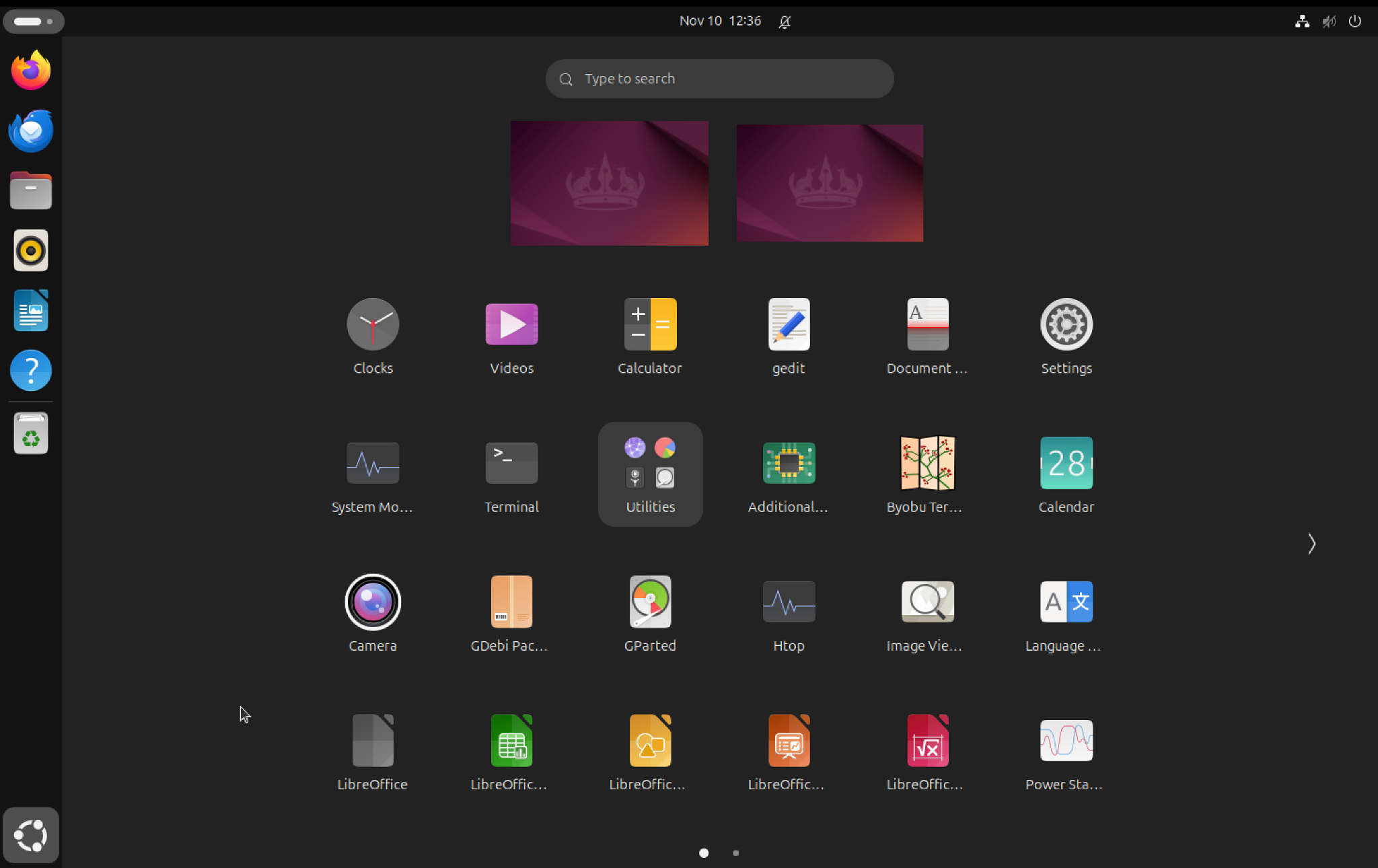
The whole interface is so intuitive that you’d have no difficulty in navigating and finding anything you want. Libre office is the equivalent of Microsoft office like the majority of the Linux distros. One of the best things about Ubuntu is its stability. They release a LTS version, which stands for Long Term Support, every two years and it offers usually an additional 4-5 years of security updates. So, if you are installing the latest Ubuntu then you are covered for the next 3-5 years depending upon the version. For example, if you install Ubuntu 24.04 LTS then you have 3 more years left but if you install Ubuntu 26.04 LTS which is upcoming in April, 2026 then you’d have 5 more years. You can download Ubuntu here. If you want to get a more Windows like feel then go for Ubuntu with the XFCE desktop known as XUbuntu.
7- Pop!_ OS
Pop!_ OS is Ubuntu based operating system developed by System76 and they developed it by keeping the needs of hardcore gamers, developers and high performance PC users. It has a beautiful interface with a dock that contains apps.
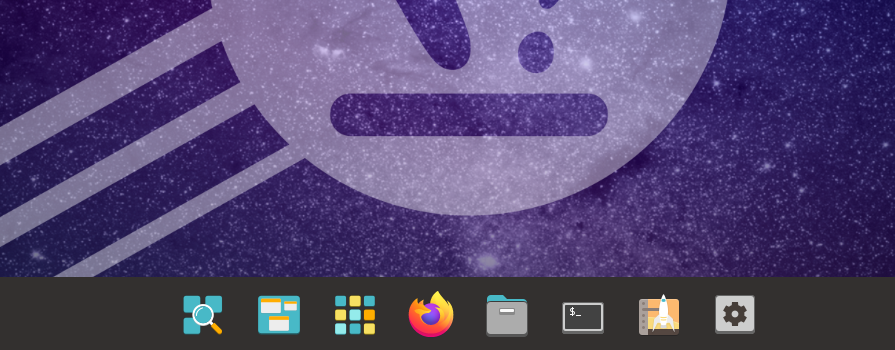
I like its folder icons, window and GUI.
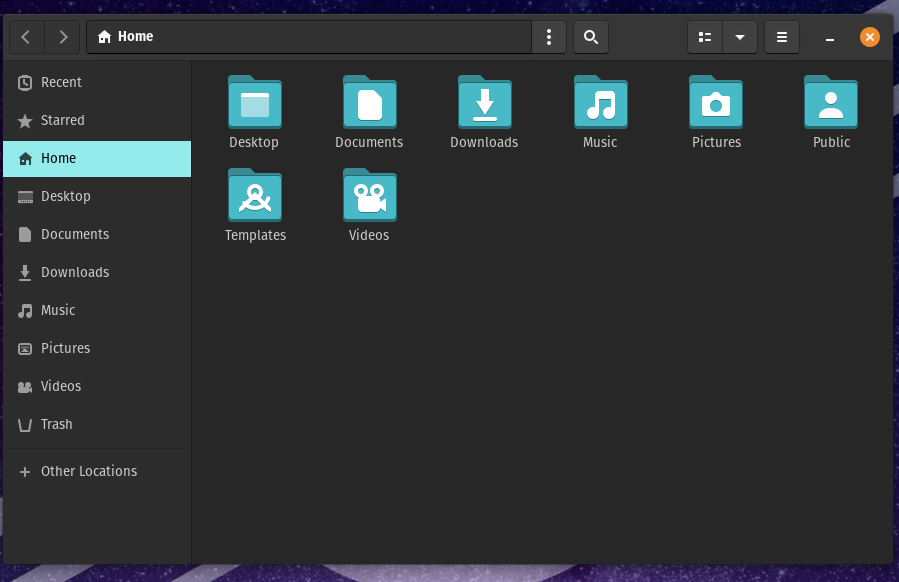
System76 also offers their hardware both laptops and desktop with amazing specs and that comes with pre-installed Pop!_OS. Actually you have an option to choose between Pop!_OS and Ubuntu. Anyways, Pop!_OS is tuned for productivity and high performance usage so if you are a gamer and you are used to playing games on Windows or you do some high performance work then Pop!_OS is the best option for you to switch from Windows to Linux. Pop!_OS saves you the trouble to go and install Nvidia drivers manually. System76 offers a special version of Pop!_OS that comes with these Nvidia drivers pre installed for gamers and power users. While installing Pop!_OS, you see lots of space related icons, rockets, space, stars etc. It takes inspiration (according to me) from space like humanity tries to touch its limits by exploring beyond this world, that’s what Pop!_OS is built for, it also touches the limits of the hardware and operating system both and provides experience for maximum efficiency. You can download Pop!_OS from here.
Conclusion
So, if you have finally made a decision to switch to Linux from Windows 10 then welcome on board. Decide what kind of a user you are, if you are a power user needing gaming experience and high performance then go for Pop!_OS, otherwise if you want your Linux OS to look and feel exactly like Windows 11 then go for Deepin, if you want your Linux OS to look elegant, sleek and modern then go for Zorin OS or Elementary OS. Linuxmint is a great option overall and if you have really old hardware then go for Linux Lite. Ubuntu is the best and favorite if you are starting as a beginner and aren’t too obsessed with Windows like interface.